

Your audio projects, all in one place
Relay is designed by seasoned audio professionals for the needs of producers, engineers, and composers. Keep projects, files, and feedback together, and share them with collaborators through Tonic Audio's site or app.
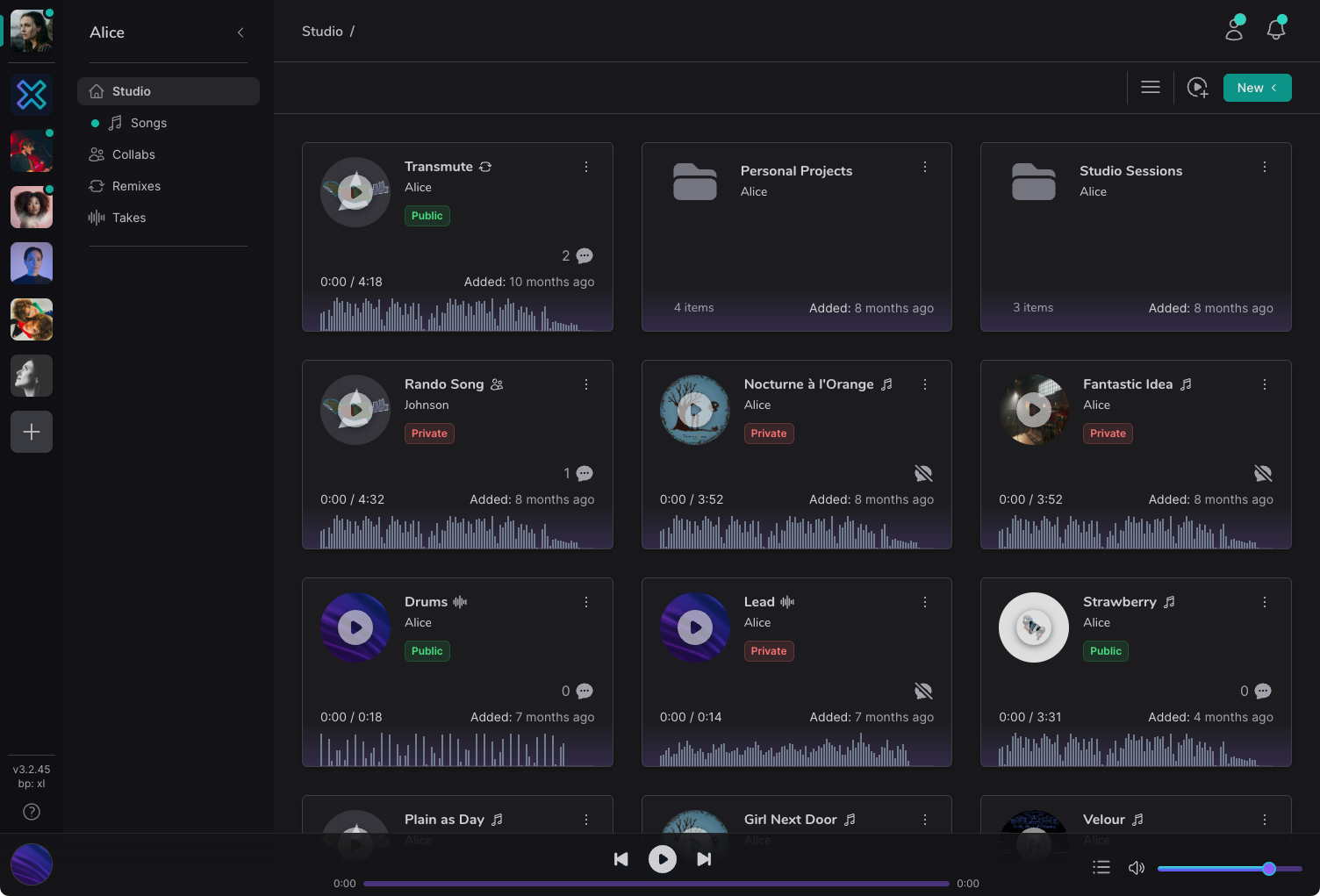
Mission control for all your audio projects
From per-file versioning and timestamp-based commenting, all the way up to song organization and separate workspaces for each of your major collaborations, Relay has you covered.
- Workspaces.
- Whether you separate mixing projects from mastering projects, or work with several artists at once, workspaces let you organize your efforts into simple, isolated work areas.
- Collaboration.
- Maybe you just need feedback from a collaborator, or they invite you to a project they run. Either way, you get a simple collaborative experience without syncing nightmares or duplicate work.
- Organization.
- Generic cloud storage turns audio production into a disorganized mess. In Relay, songs are projects, each with its latest mix identified and immediately playable.
- Private share links.
- Share just the latest revision with expiring, password-protected links, or share the entire project, including all media files. All fully in your control.
Workspaces
Keep every project separate and private
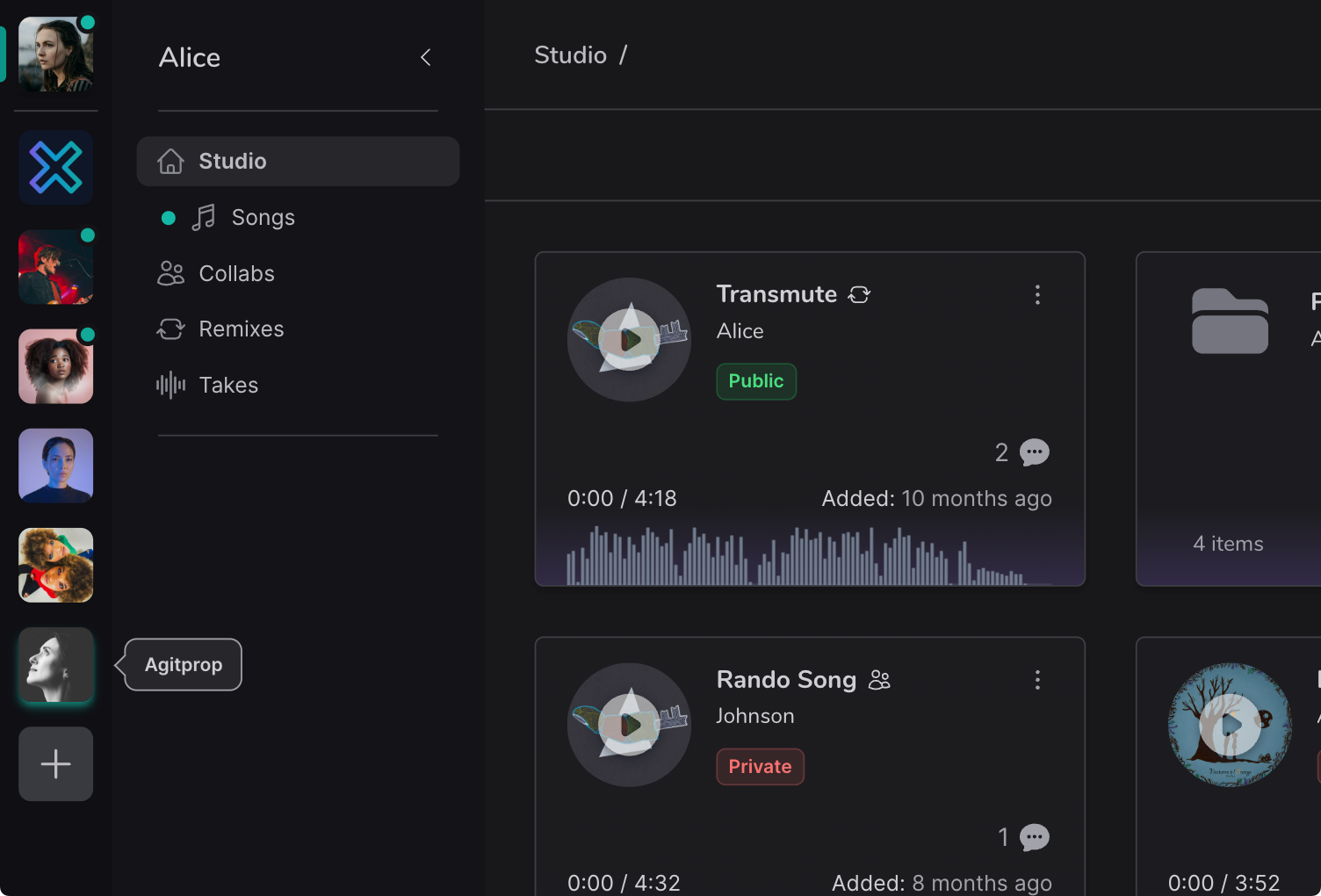
Everybody works differently. Perhaps you have a handful of regular artists, or several features you are composing for screen. In Relay, workspaces keep every major project separate and isolated, for your sanity and your privacy.
- Keep initiatives separate.
- Track people, discussion, feedback, and project files in simple isolated workspaces.
- Collaborate with anyone.
- Collaborators log into Tonic Audio's site or app and take part in full.
- Private by default.
- Workspaces start private, and you choose who joins.
Projects
Songs as first-class citizens
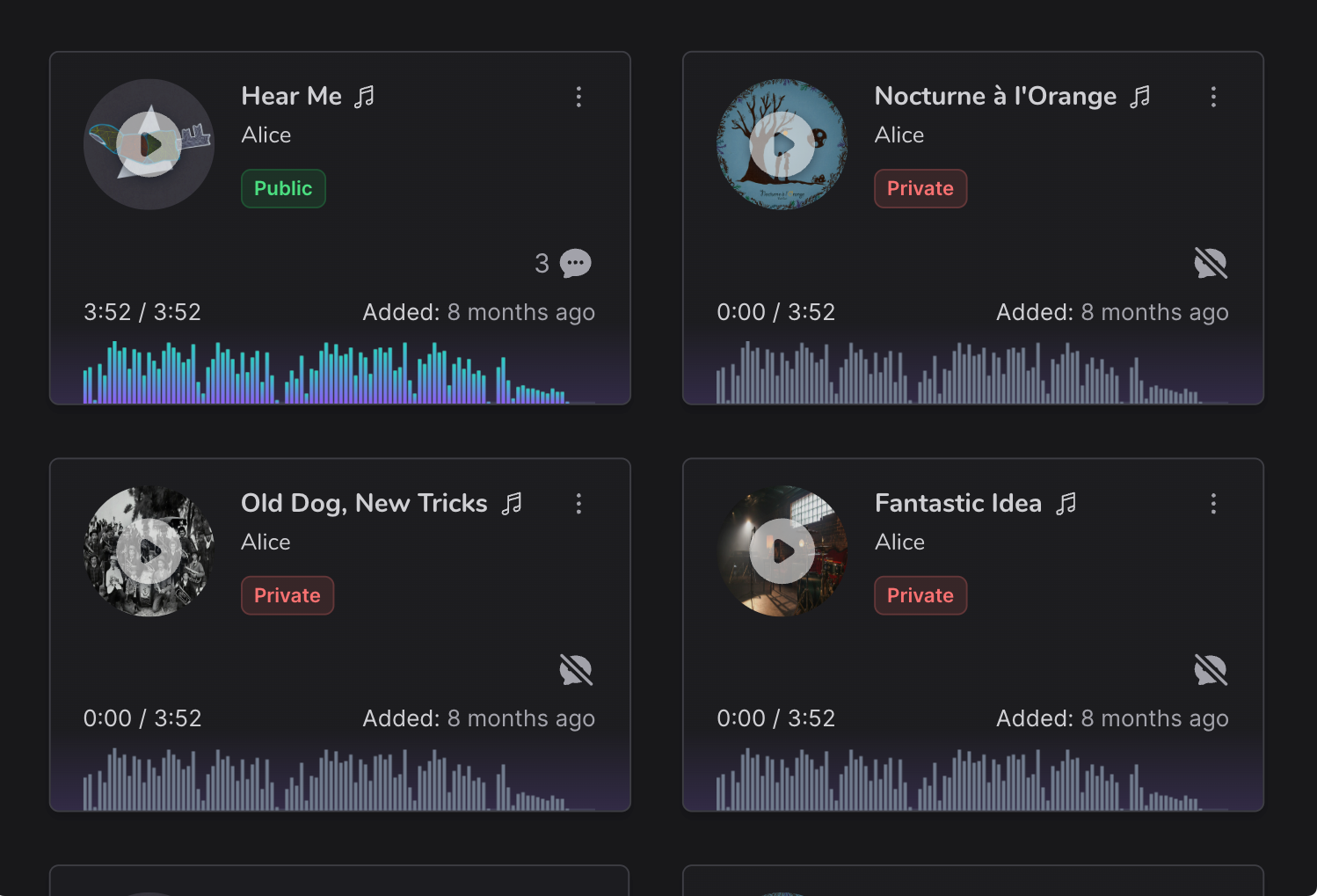
Typical cloud storage treats all files equally, which does not work for audio production. Relay treats your DAW projects as their own entities, each with all the files needed in one place.
- Mark the current revision.
- Bounce a rough mix, star it, and it plays whenever you audition or share.
- Control access per project.
- Share one song with a group of clients without exposing the rest.
- Organize all your work.
- Keep current and archived projects tidy and easy to find.
Discussions
Feedback, all in one place
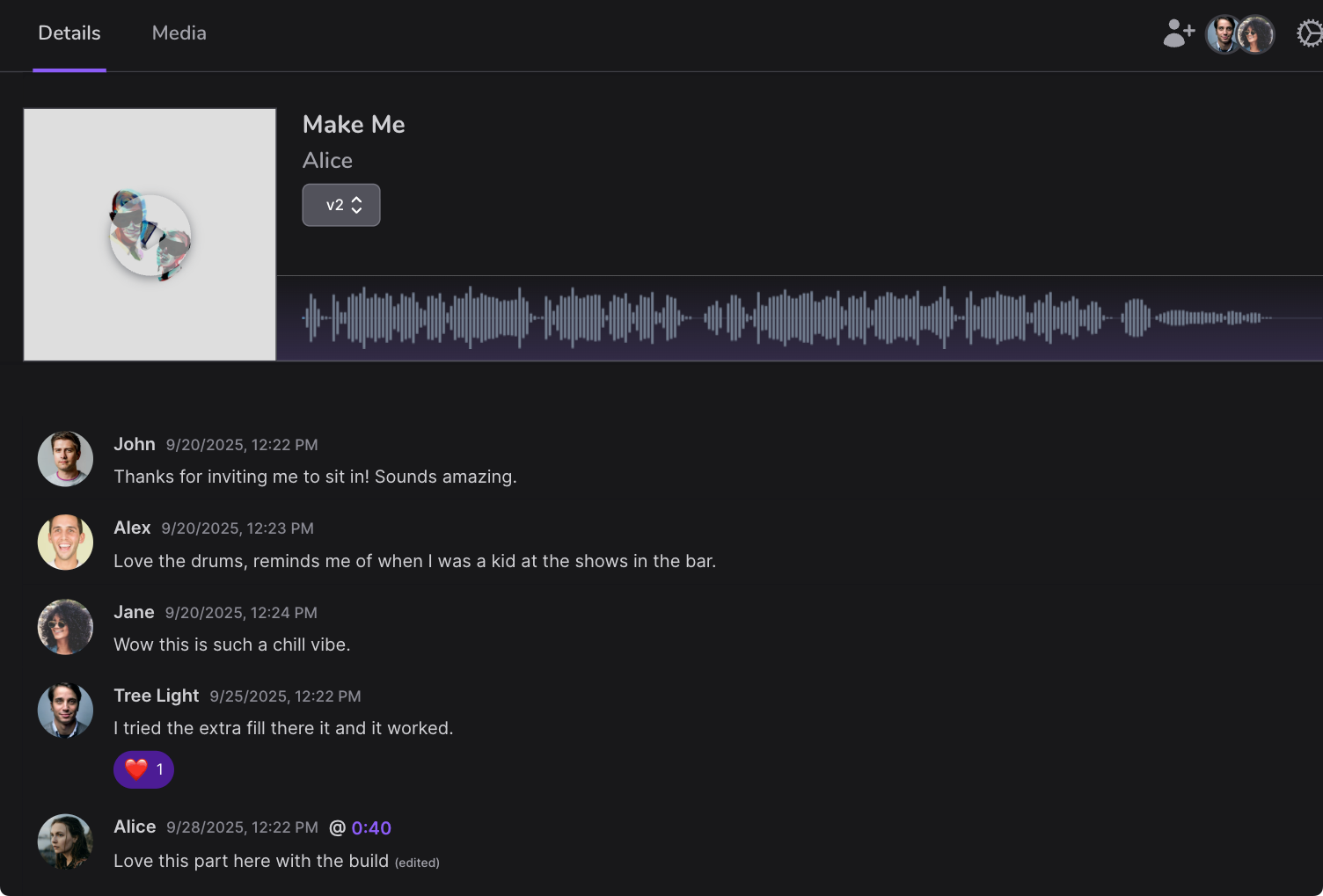
How many times do you receive project feedback by text, email, or in person? Capture everything about each project's progress in the project itself, and track and resolve it in record time.
- Replies, reactions, and links.
- Reply in full, react with an emoji, or share a link.
- Timestamped commenting.
- Tie comments to a timestamp and version, so old feedback stays out of later revisions.
- Track new revisions.
- The discussion is notified whenever a new audio file becomes the current revision.
File access
Simple access to all your files
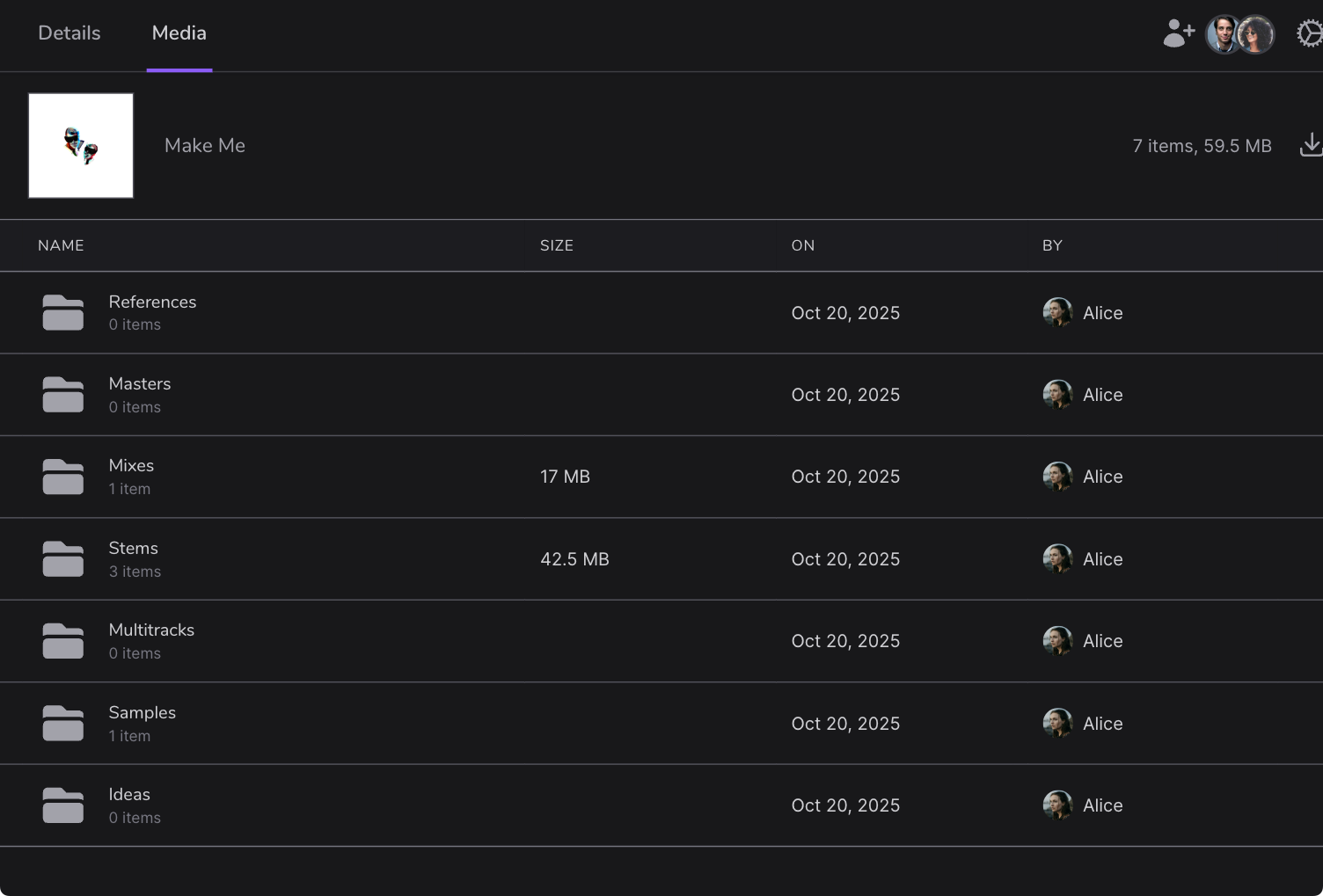
Sometimes you need direct access to a file. Manage your files through the Relay interface, including creating and deleting folders.
- File access per project.
- Files in your DAW's project folder are a click away.
- Store files outside projects.
- Keep contracts, invoices, and marketing materials securely in place too.
- Store any file format.
- Relay treats DAW projects uniquely, but you can store any file at all.
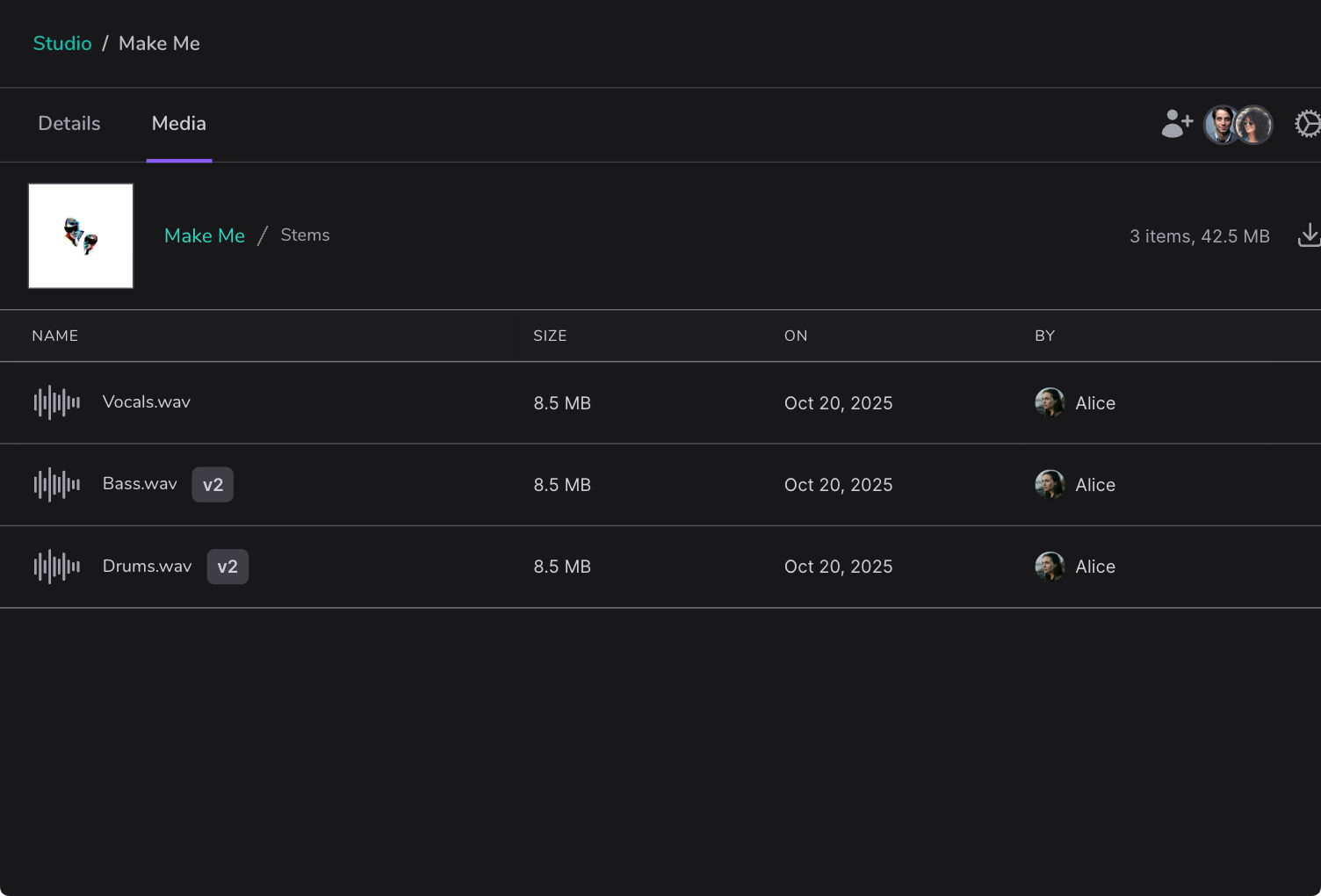
File versioning
Never lose a previous version
Never lose a previous file version again to an accidental overwrite. Relay lets you roll back to any previous file snapshot with a simple version dropdown.
- Unlimited snapshots.
- Snapshot on every save, or once a day. You choose.
- Efficient file management.
- Only changed files are saved between snapshots, so storage use stays efficient.
- History is one step away.
- Roll back a file to an earlier snapshot whenever you need to.
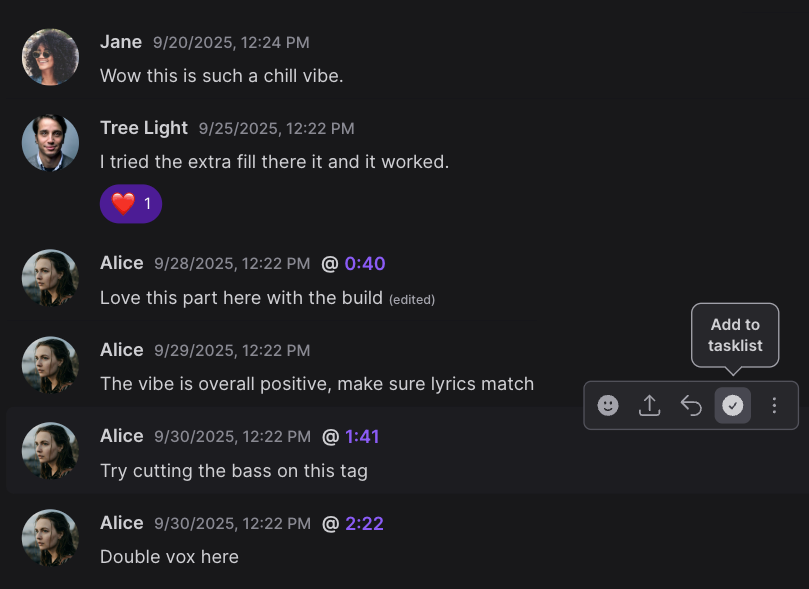
Tasklists
Don't miss another revision request
Emails, spreadsheets, and notepads have all been used to track change requests on session work, but remembering which version the feedback was for gets tricky. Relay solves this once and for all.
- Current tasklist, per revision.
- Tasks are bound to file versions. Mark them done as you upload a new revision.
- Convert a comment to a task.
- Mark a comment as a task, and the issue is captured and tracked.
- Timestamped tasks.
- A timestamp is added automatically when you create a task.
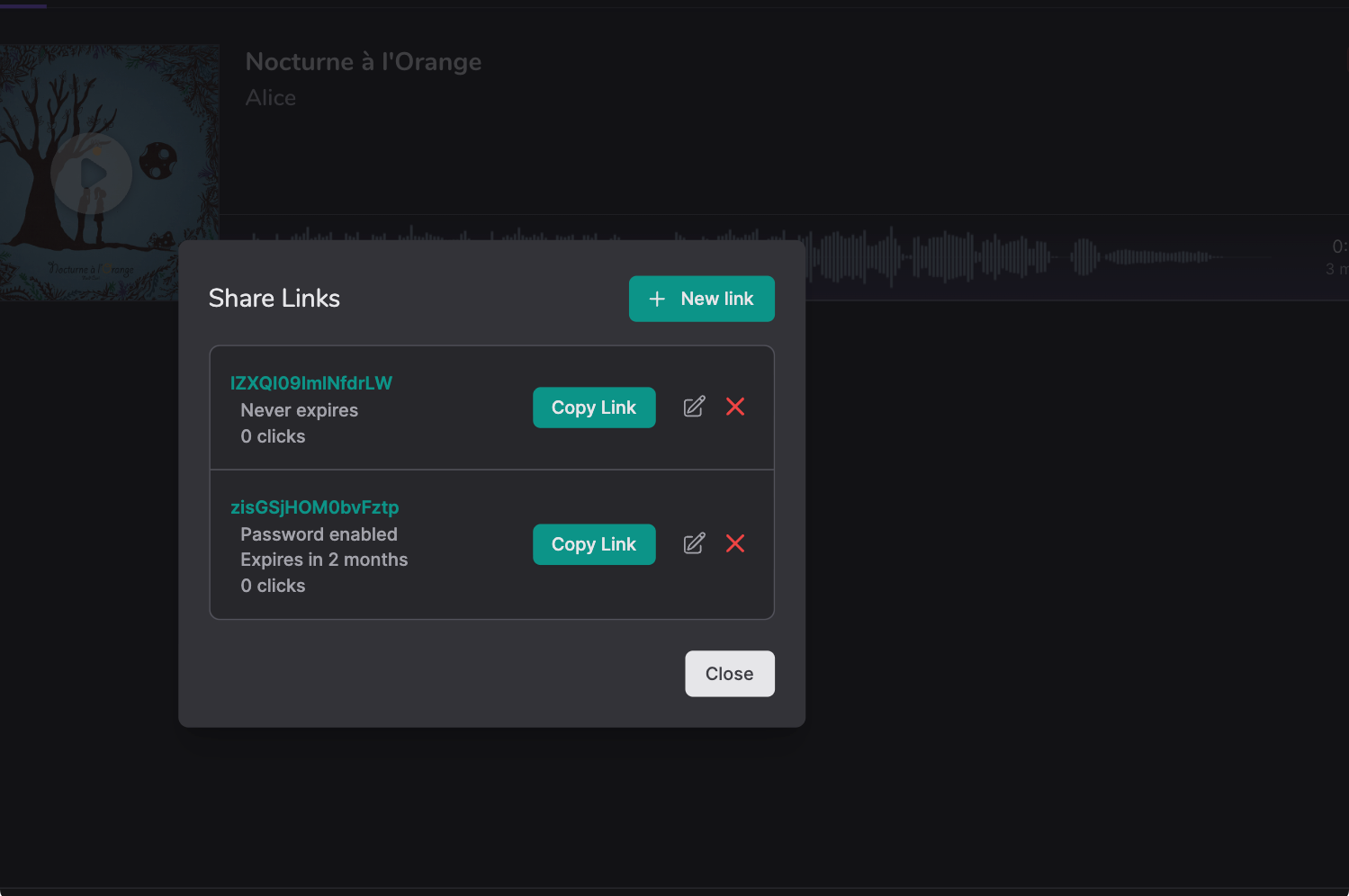
Permissions
Control who hears what, and when
Working with several collaborators throughout a project calls for precise permissions. Relay makes sure each person can reach only the files they need.
- Flexible read-only access.
- Allow listening only, or add commenting and feedback, per user.
- Read/write access.
- Give a close collaborator full access to one project, not all of them.
- Expiring private links.
- Password-protected links control who has access and for how long.
Audio player
No more anemic, compressed audio
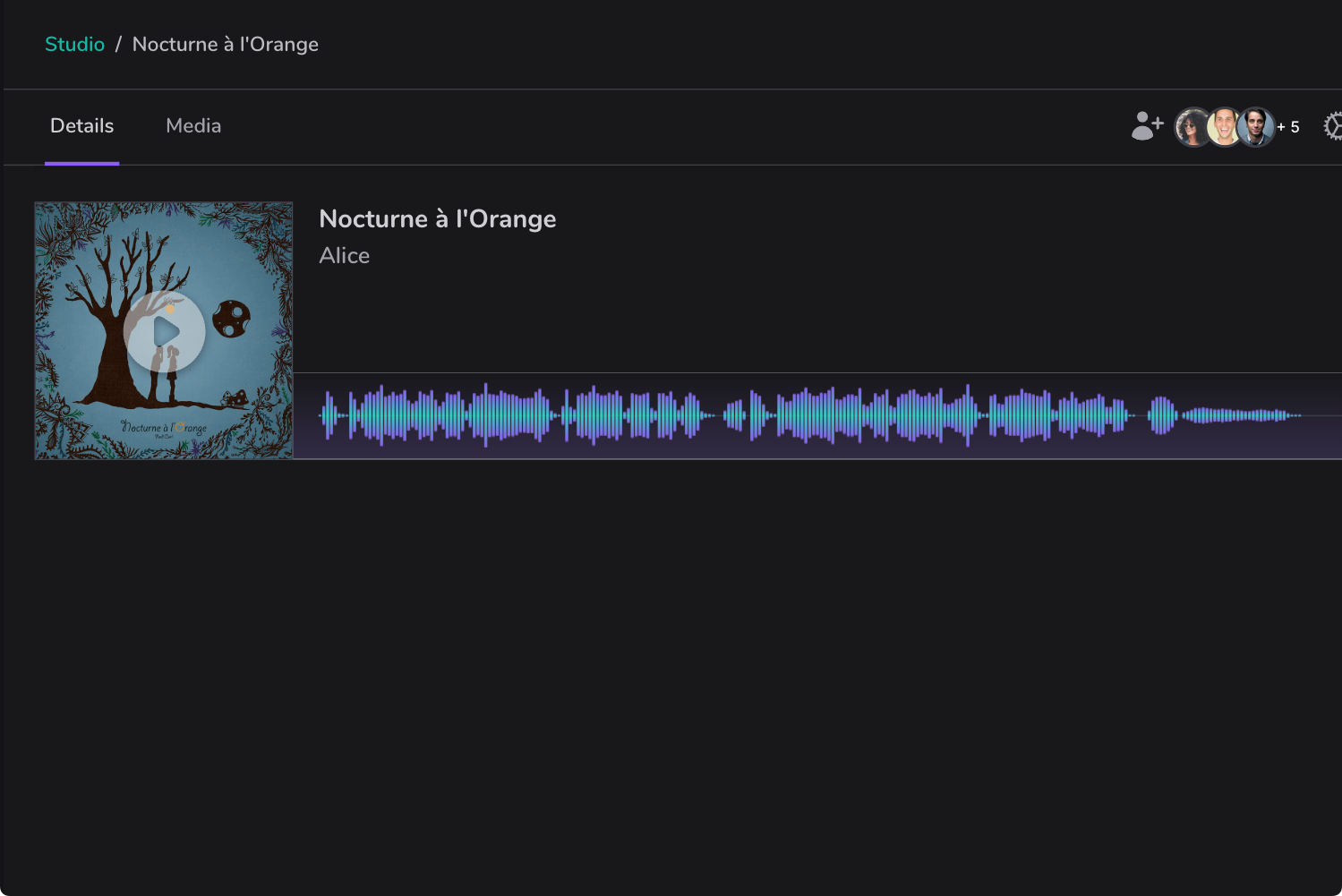
If you need to hear the highest quality of your mixes, why settle for poor, compressed players? Relay includes an ultra high-quality lossless player.
- Play your preferred format.
- From quick mp3 or aac sketches to lossless WAV or FLAC masters.
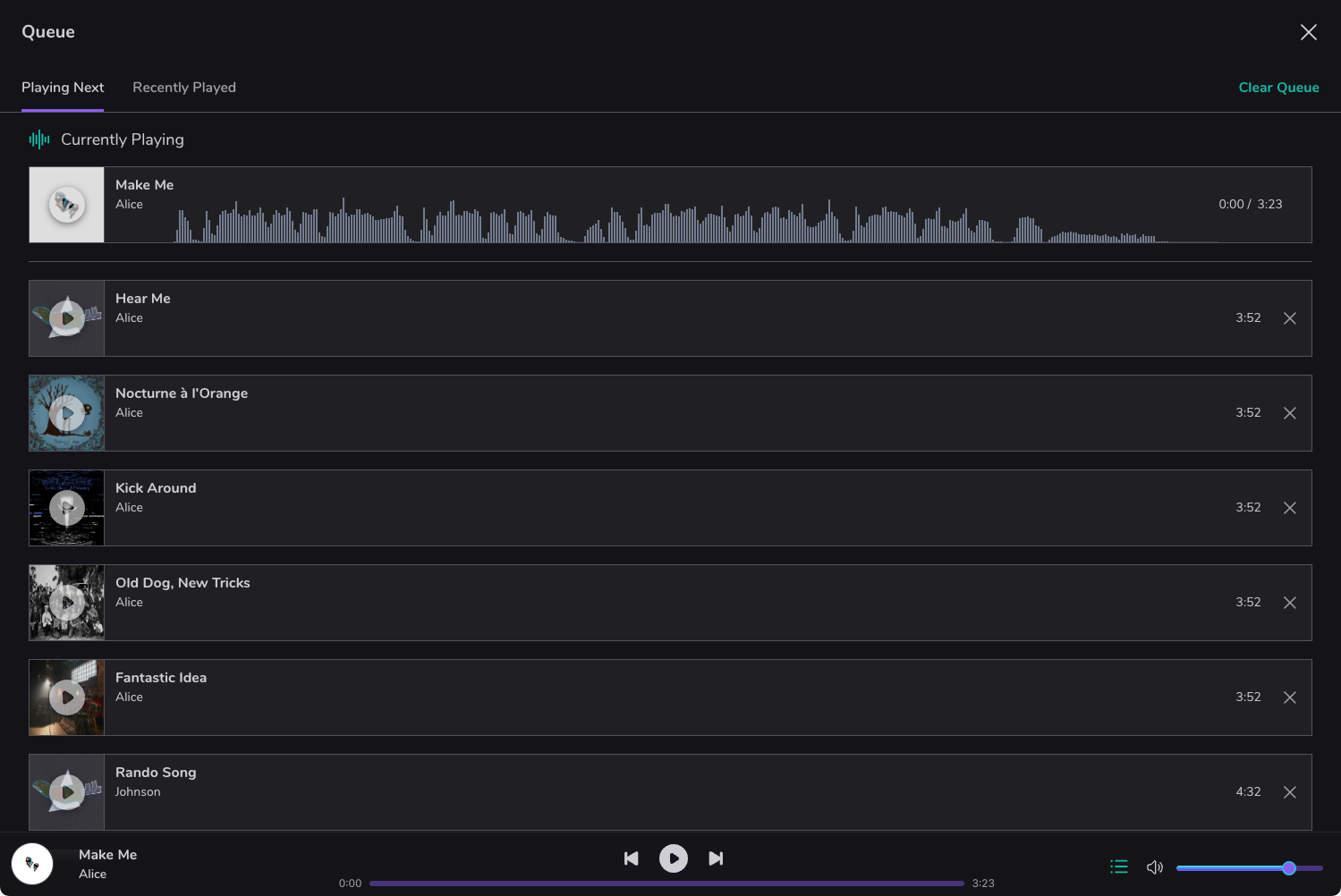
- Player queue for ad-hoc playlists.
- Queue a few songs and listen in their original formats.
- Preview album order.
- Audition song ordering in the queue before you commit to it.
Playlists
Instantly recall your favorite playlists
From saving your discography for quick recall when meeting a new client, to testing album ordering for your current project, Relay lets you load playlists into the player.
- Drag and drop ordering.
- Reorder playlists as simply as you would in a streaming app.
- Loop and shuffle.
- Loop or shuffle playlists while you create and listen in one place.
- Optionally make playlists shareable.
- Share playlists by private link, with the same password and expiry as songs.
Remote access
Your projects, wherever you are
Sometimes you need your files while on location or at a remote studio. Use Relay on the web, on mobile, or on desktop to reach your projects securely, whatever your location or device.
- Access files anywhere.
- Connect to your projects as easily as if you were in the studio.
- Discussions too.
- Stay connected to workspace discussions and project progress while you are away.
- Use the app or the web.
- Use whatever interface you have, on any operating system or platform.
Sync
Keep every copy in sync
No more uploading new versions of entire projects to a file-sharing service just to hand them to a collaborator. Relay keeps projects and folders in sync, so everyone sees the same current files.
- Skip the upload link.
- Collaborators see the project or folder mirrored without a manual upload.
- Stay secure.
- Audio data stays encrypted while it syncs.
- Keep a backup copy.
- A synced second location gives you a mirrored copy of your work.
Frequently asked questions
- Do my collaborators need special hardware to use Relay?
-
No. Most of your collaborators or clients will not have special hardware, and they do not need it. Relay works through a web, mobile, or desktop app, so discussions, feedback, auditioning, and other features are available to whomever you allow access.
- How does Relay know what a project or song is?
-
Relay treats your DAW projects, whether they are songs, soundtrack compositions, or lessons, as first-class objects. That means more information in Relay, including auditioning the latest revisions, tracking comments and feedback, and permissions at the song level. It works at the folder level. Most DAWs either use a folder format or can be configured to, which also gives you a similar folder structure when you access files directly.
- Do I have to use a DAW to use Relay?
-
Absolutely not. Relay is an audio-centric file storage environment. Alongside the files, we focus on the peripheral needs of working on audio production with others. If you wish to replace your existing cloud storage provider with Relay, nothing stops you. You can upload any number of files and folders, up to the storage limit.
- Can anyone join a workspace I create?
-
Yes, but not by default. Workspaces start private, since most people invite a few collaborators or clients. A workspace can be set to public, and then anyone with its link can join. You can set individual rooms to private, public, or announce-only, and assign moderators to keep a public workspace friendly.
- Can I store my files in Relay's web app?
-
Yes. You can store any files in Relay, and your account includes 5 GB of storage.
Bring your projects into Relay
Launch Relay to start a workspace, bring in your projects, and invite your collaborators.