

Your own hardware, with all the benefits of cloud software.
Unlike other cloud file services, task management tools, and marketplaces, Tonic Audio's Haven software is designed by seasoned audio professionals, dialing in exactly the needs of producers, engineers, and composers worldwide.
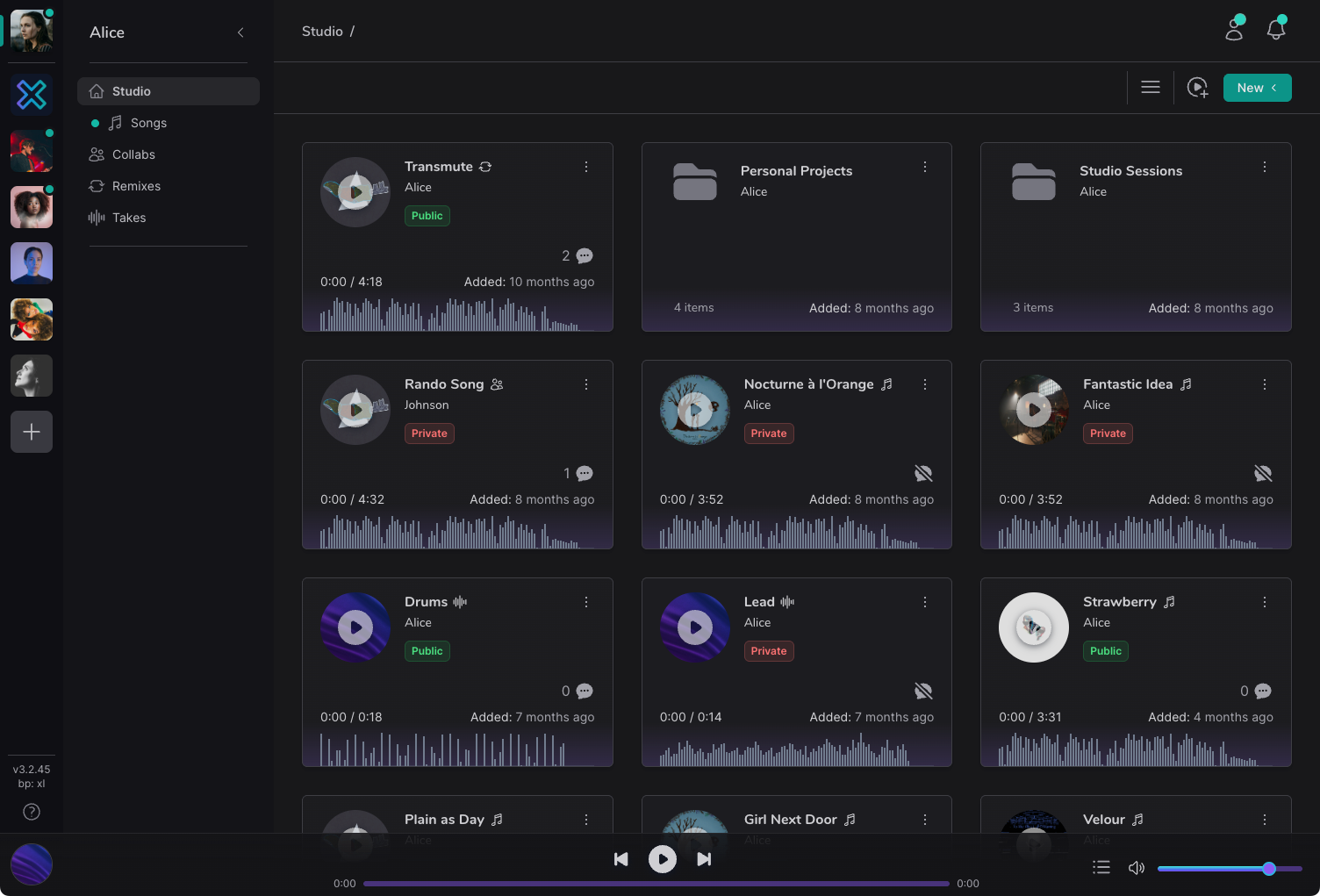
Mission control for all your audio projects.
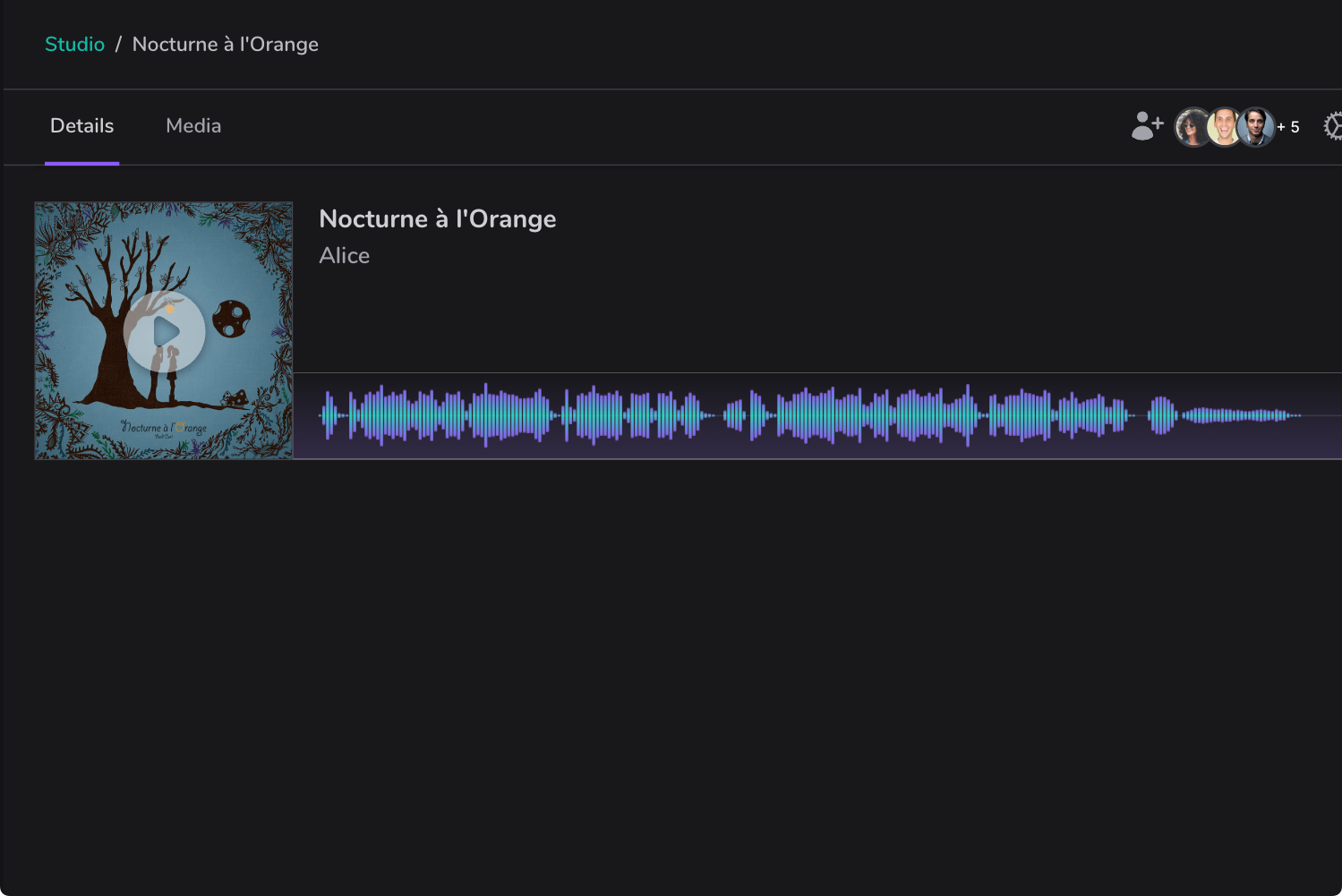
From per-file versioning and timestamp-based commenting, all the way up to song organization and separate workspaces for each of your major collaborations, Haven has you covered.
- Workspaces
- Whether you separate your mixing projects from your mastering projects, or you have a set of different artists you work with at the same time, workspaces let you organize and separate your efforts into simple and isolated work areas.
- Collaboration
- Collaborations take on many forms. Maybe you have all files on your Haven and just need feedback from a collaborator. Or perhaps they invite you to collaborate on a project already hosted on their Haven. Regardless, have a simple collaborative experience without syncing nightmares or duplicate work.
- Organization
- Using generic cloud storage services for audio production inevitably ends up as a disorganized mess. With Haven's software, easily view songs as projects, each with their latest mix identified and immediately playable.
- Private Share Links
- Don't want to share everything with a collaborator or client? Share just the latest revision of your work, with expiring, password protected links. Or share the entire project, including all media files. All fully in your control.
Workspaces
Organize your projects
Everybody works differently. Perhaps you have a handful of regular artists you always work with, or multiple features you're composing to screen for. Regardless, keep every major project separate and isolated from each other, to keep your sanity and your privacy.
- Keep initiatives separate.
- Keep track of people involved, their discussion and feedback, and the project files themselves, in simple isolated workspaces
- Collaborate, Haven or not.
- No problem if your collaborators don't have their own Haven. They can log into Tonic Audio's site or app, and participate as if they did.
- Completely federated.
- Workspaces are federated, meaning they reside directly on your Haven. There is no "cloud" in the Haven ecosystem, and you'll never lose access to your workspace history due to paywalls or company policy.
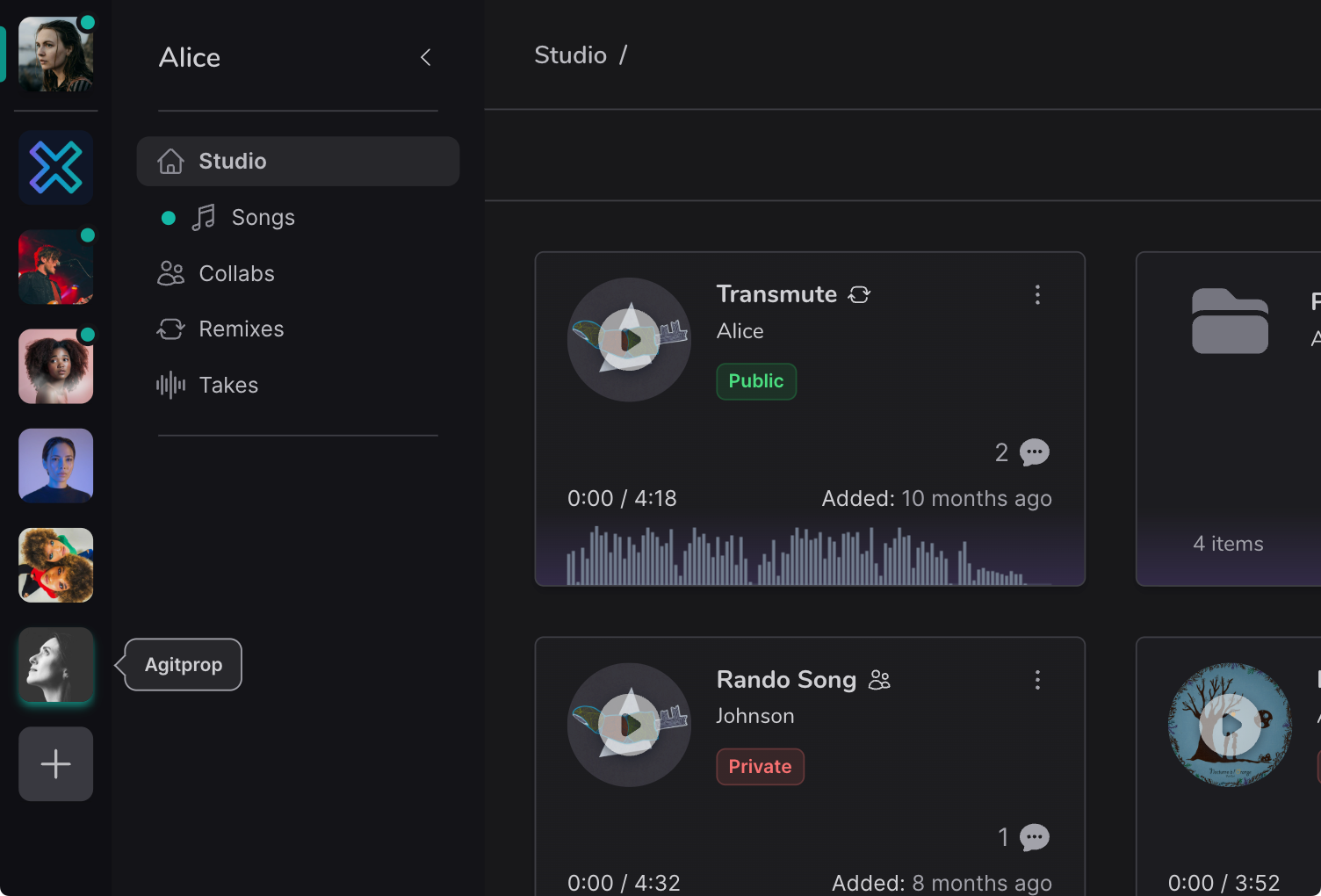
Projects
Songs as first-class citizens
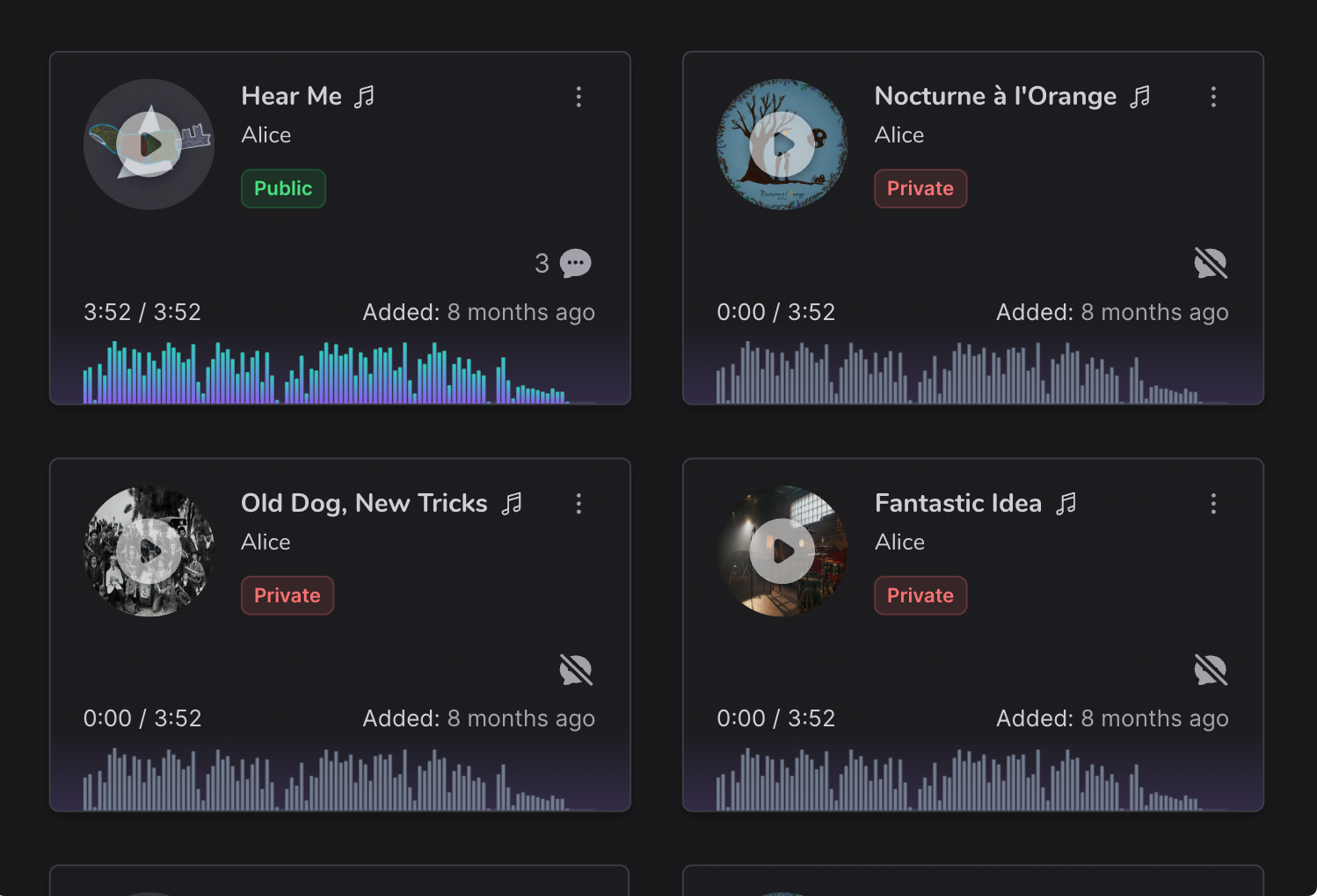
Typical cloud storage treats all files equally, but this doesn't work for audio production. Haven treats your DAW projects as their own entities, each with the all the files needed all in one place
- Mark any audio file as the current revision.
- Bounce a rough mix, star it in Haven, and it'll be assigned to the player whenever you want to audition it, share it with others, or get feedback.
- Control access to each project on an individual level.
- Have a song you're not ready to share with your collaborator yet? Or need to share it with a group of clients? Easy to do at the song level.
- Organize all your projects
- Keep your current and archived work nicely organized and easily retrievable, all with songs as first-class citizens.
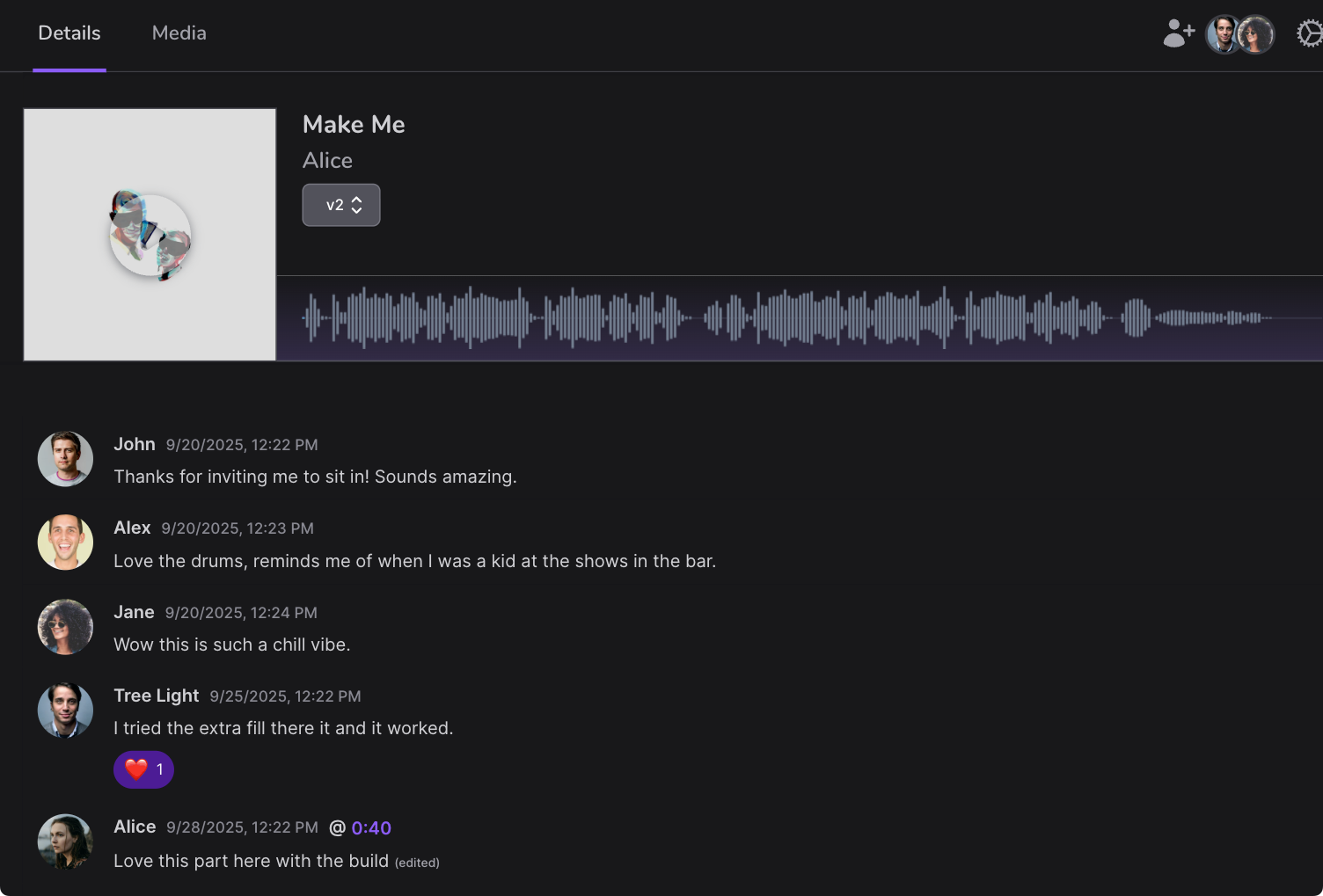
Discussions
Feedback, all in one place
How many times do you receive project feedback via text, email, or in-person? Capture everything about the progress of each project right in the project itself. Track and resolve in record time.
- Replies, reactions, and links.
- Haven provides many ways to communicate effectively, from full responses to a quick 👍 to a success kid meme.
- Timestamped commenting.
- A comment can be tied to a specific timestamp and audio file version, preventing old feedback from polluting later revisions.
- Track new file revisions.
- Always know the current project state. Haven will notify the discussion whenever a new audio file is marked as the current revision.
Direct File Access
Simple access to all your files
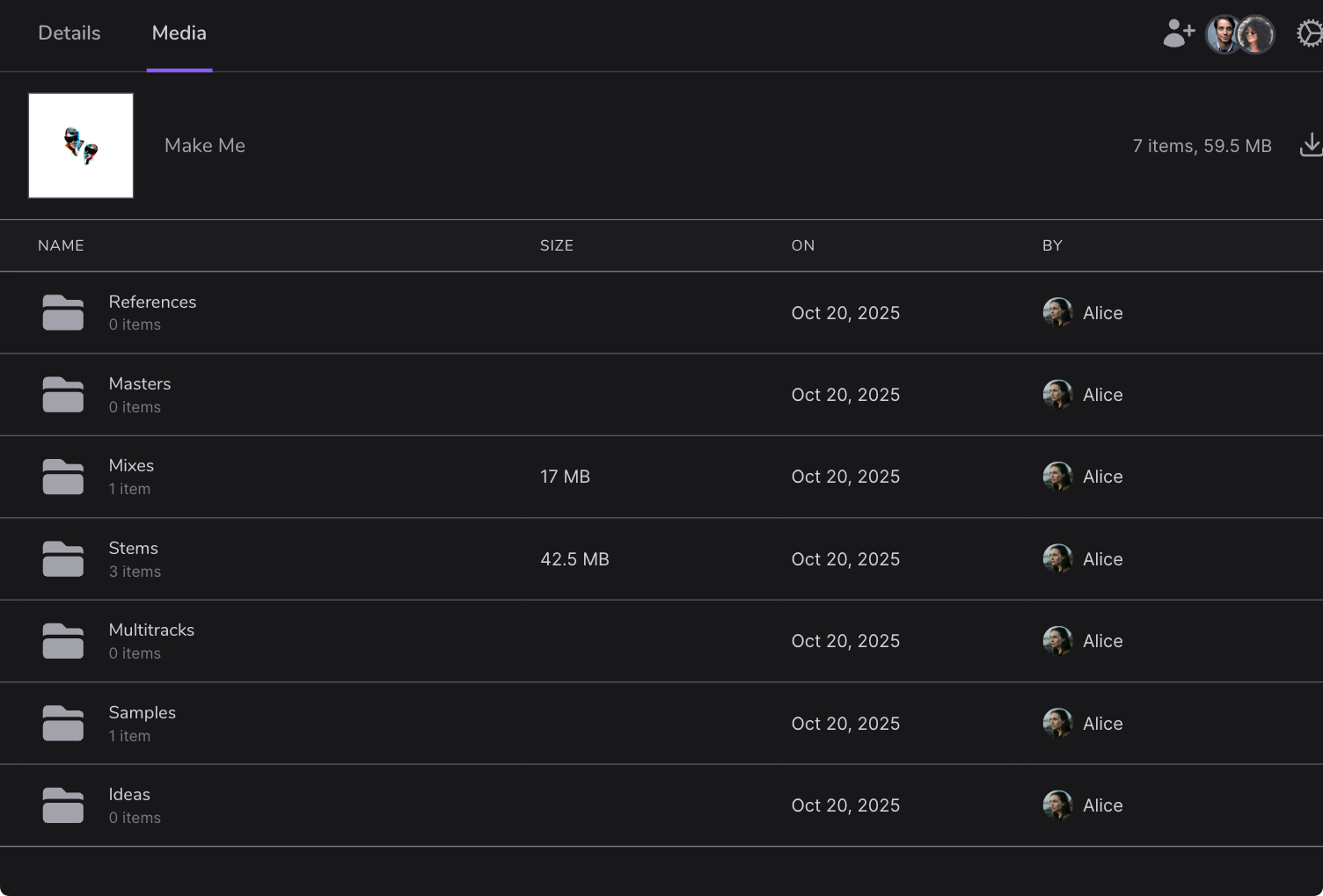
Sometimes you need direct access to a file. Easily manage your files via the Haven interface, including creating and deleting folders.
- Easy file access per project.
- Access to specific files in your DAW's project folder is just a click away.
- Store files outside of projects.
- Easily keep all your important files outside of projects securely in place too. Contracts, invoices, marketing materials, all with plenty of space.
- Store any file format at all.
- While Haven's designed to treat DAW projects uniquely, there is nothing preventing you from storing any files at all. Treat it as a standard NAS without a problem.
File Versioning
Unlimited file snapshots
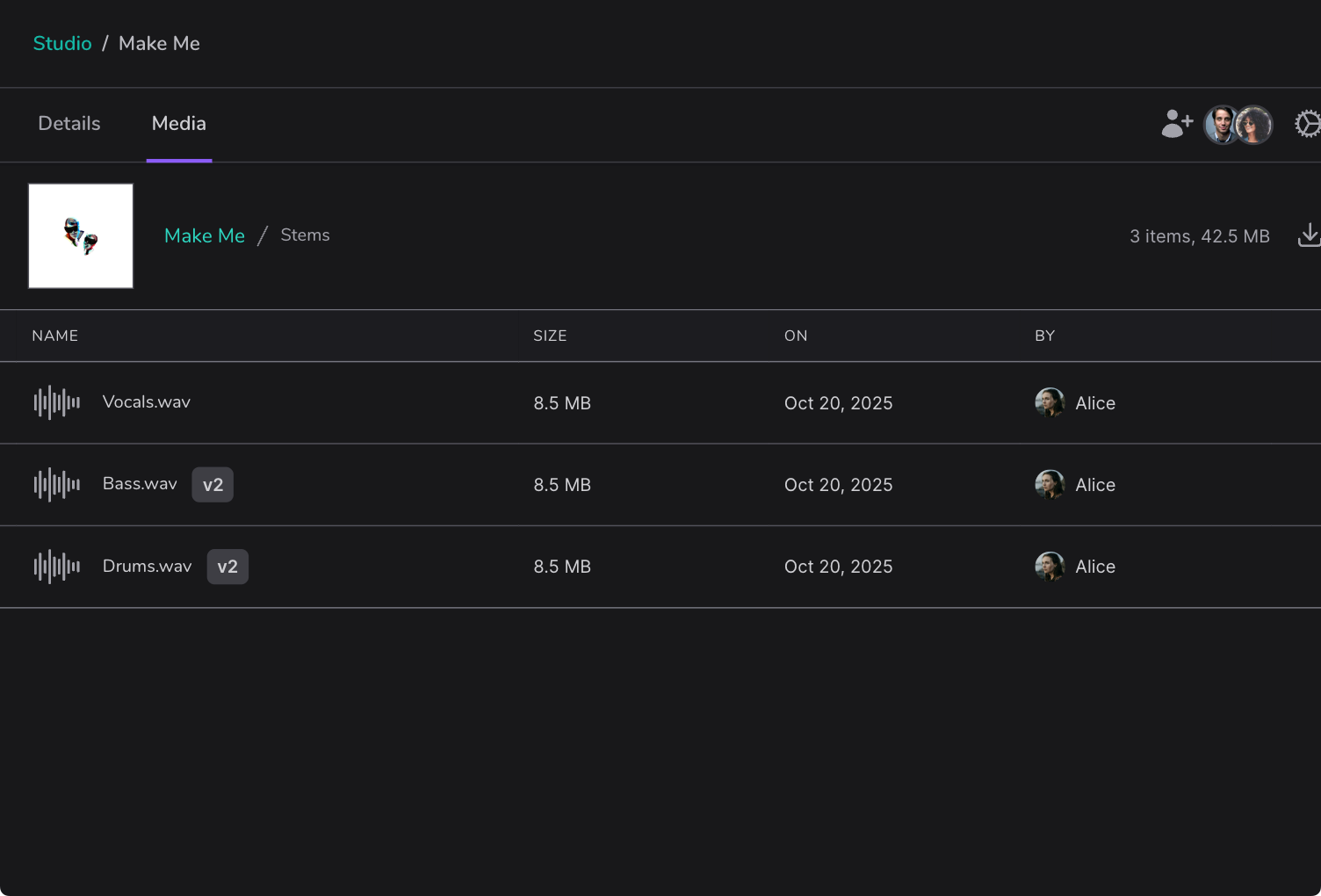
Never lose a previous file version again to an accidental overwrite. Haven's software allows you to roll back to any previous file snapshot with a simple version dropdown.
- Unlimited snapshots.
- Want a snapshot saved every time you save that file? Or just want to snapshot once a day? Totally configurable.
- Efficient file management.
- Only the files that have changed between snapshots are saved. This means exceptionally efficient storage use regardless of the number of snapshots you take.
- Roll back a file or the entire system.
- Due to Haven's advanced file system, easily roll back to a previous file version, a full directory, or the entire filesystem. At any time, history is only one step away.
Tasklists
Don't miss another revision request
Emails, spreadsheets, notepads, all have been used to track change requests to session work. But remembering which version the feedback was for gets tricky. Haven solves this once and for all.
- Current tasklist, per revision.
- Tasks are bound to specific file versions, so no need to track what requests go where. Just mark them done as you upload a new revision.
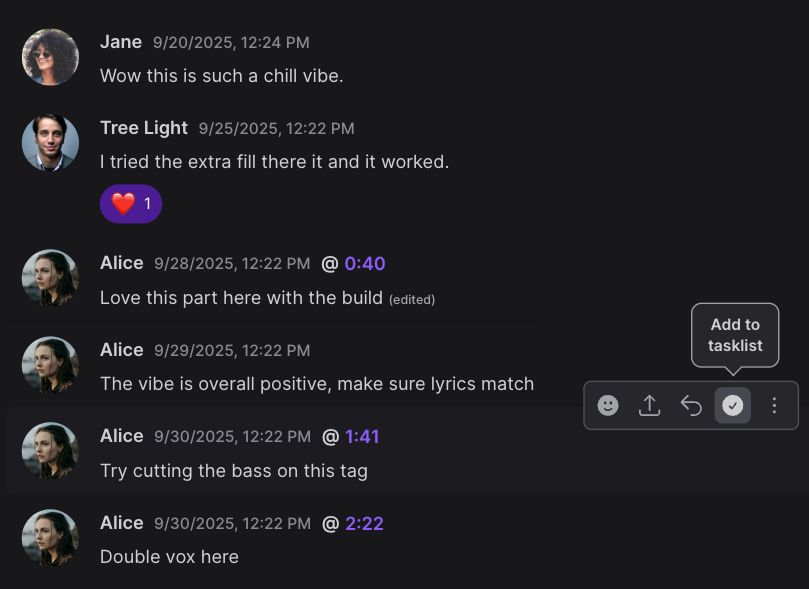
- Easily convert a comment to a task.
- Most task requests start as a discussion about mix levels, or arrangements, or performances. Mark a comment as a task, and the issue is captured and tracked.
- Timetstamped tasks.
- Never guess what timestamp a task applies to, automatically add a timestamp when creating it.
Fine-grained Permissions
Control who can hear what, and when
Working with multiple collaborators throughout a project requires a precision permission structure, ensuring only necessary files are accessible.
- Flexible read-only access.
- From permitting only listening to the current project revision, to also allowing commenting and feedback, easily permit access on a per-user basis.
- Powerful read/write access.
- Have a closer collaborator where both of you need write access? Easily add them to a single project with full file access without giving them access to all your projects.
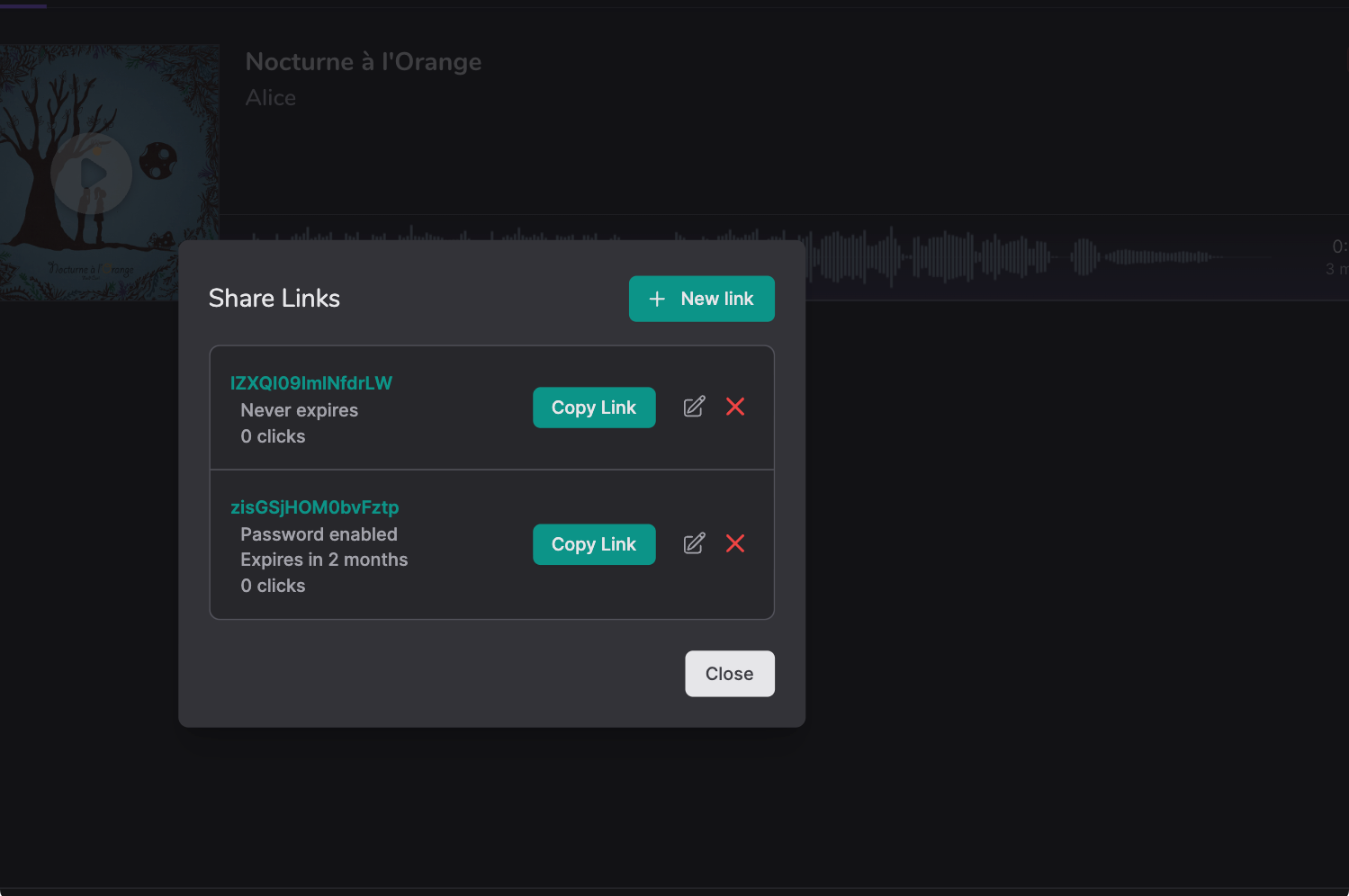
- Expiring, password-protected private links.
- Automatically control who has access, and for how long, without worrying about stray share links leaking later revisions.
Integrated Audio Player
No more anemic, compressed audio
If you need to hear the highest quality of your mixes, why would you settle for poor, compressed players? Use Haven's ultra high-quality lossless player.
- Play your preferred format.
- From a quick mp3/aac sketch up to full 32 bit, 192kHz lossless WAV or FLAC masters, Haven's audio player has you covered.
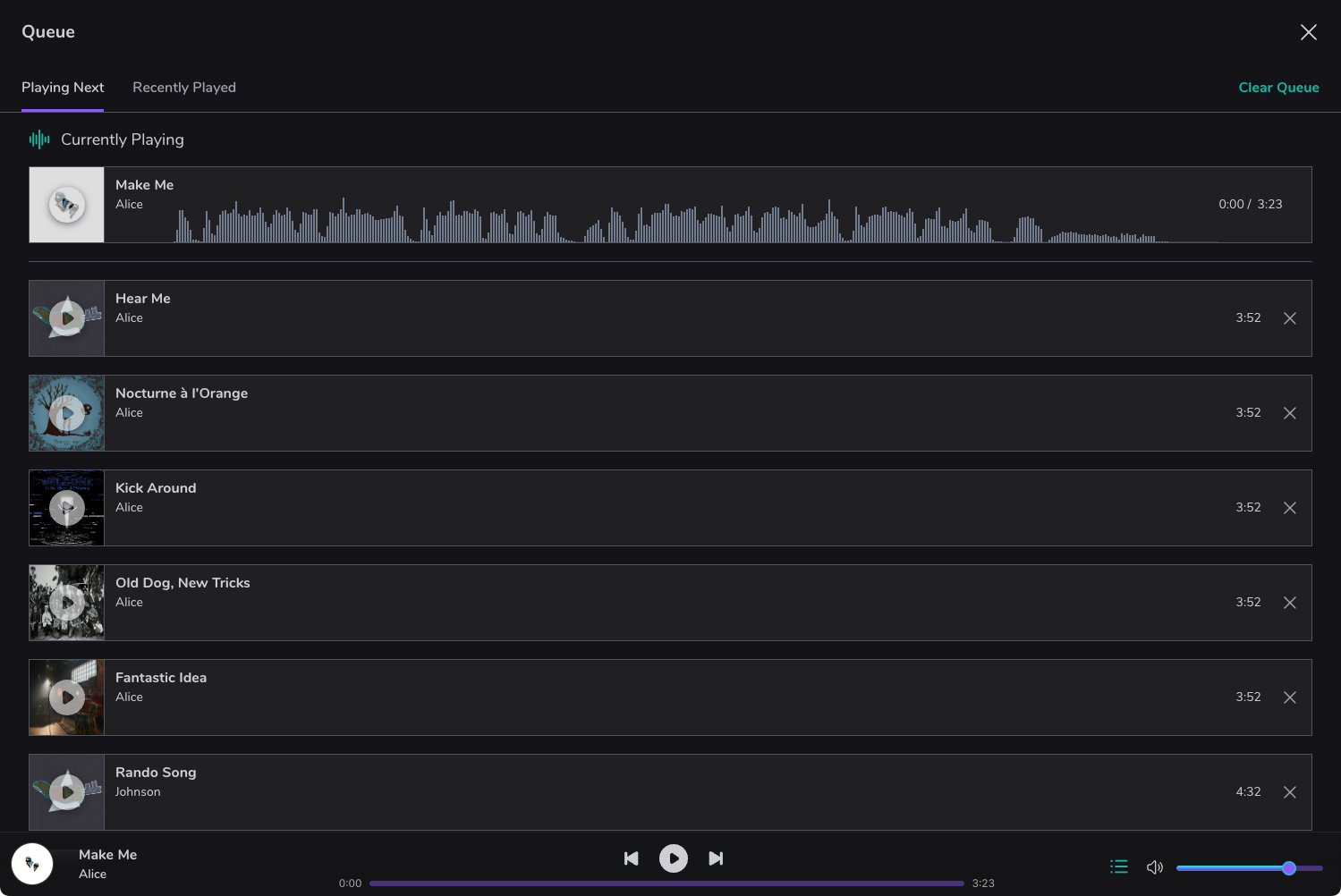
- Player queue for ad-hoc playlists.
- Add a few songs to the player queue, and sit back and listen to the ad-hoc playlist in their original file formats. Great for previewing album song ordering.
- Play from the app or directly from your Haven.
- When using the software interface, configure the player to control the native Haven hardware and use the built-in converters for the best listening experience. If working remotely into your Haven, the software interface will play through your remote audio system at a full, uncompressed rate.
Playlists
Instantly recall your favorite playlists
From saving your discography for quick recall when meeting a new client, to testing possible album ordering for your current project, easily load playlists into the player.
- Drag and drop ordering.
- Getting the album order is an art. Easily reorder playlists as simply as you'd do in a streaming app.
- Loop and shuffle.
- Using Haven blurs the line on where you create and where you listen to your work. Keep everything inside the safe confines of Haven until release day.
- Optionally make playlists shareable.
- Need to share your discography remotely with a potential client or collaborator? Easily provide a playlist private share link, with the same password/expiration capabilities as song private share links.
Frequently asked questions
- Do I need Haven hardware in order to use Haven's software?
-
Not at all. We know most of your collaborators or clients won't have a Haven device.
Because of that, we ensure that the Haven software will work directly with Haven hardware, or remotely through a web, mobile, or desktop app.
That means that all discussions, feedback, auditioning and other features are available to whomever you allow access. They'll just access your Haven through a web or mobile app.
- If I don't have a Haven, can I still store files on Tonic's web app like before?
-
Yes. We haven't removed that feature. However, we'll no longer be charging for its use, nor will we offer storage upgrades.
We've also vastly increased the free storage space you get with Tonic's Haven web account. What used to be 5GB of free storage has been increased to 50GB. Enough for a short album or EP.
Of course, you won't experience the ridiculous speed and redundancy that a Haven device provides, but we think after using Tonic Audio's software via the web and seeing how powerful it is, you just might consider picking up its hardware counterpart.
- How does Haven know what a project/song is?
-
Haven treats your DAW projects, whether they're songs, soundtrack compositions, or lessons, as a first-class object.
This means they display a lot more information in the Haven software, including auditioning latest revisions, tracking comments and feedback, and permissions at the song level.
It does this, fundamentally, at the folder level. Most DAWs either use a folder format, or can be configured as such. This is preferable, as it allows a similar folder structure when accessing files directly.
- Do I have to use a DAW in order to use Haven software?
-
Absolutely not. Haven is simply a very audio-centric file storage environment. Along with the needed files, we focus on all the peripheral needs of working on audio production with others.
That said, if you wished to replace your existing cloud storage provider with Haven, there's nothing that would stop you from doing so. You can upload any number of files and folders, up to the storage limit.
- Can anyone join a workspace I create?
-
Yes, but not by default. Haven's workspaces are initially set to private, as most people will invite a selected few collaborators or clients to a workspace.
However, workspaces can be set to public, and anyone who has a workspace link can join. This is helpful if for instance, you wanted to offer something similar to a Discord server environment. Workspaces work great for this.
Workspaces even allow similar functionality to the aforementioned servers. You can set individual rooms to be private or public, or announce-only. And you can assign user moderators and give them tools to help keep the community friendly and thriving if you wish to allow the public.
Reserve your Haven today.
Tonic Audio is now taking pre-order reservations for Haven. Place a small refundable deposit of $50 to secure your place in line as the first devices begin shipping, and receive a significant discount off of retail price when launched.