

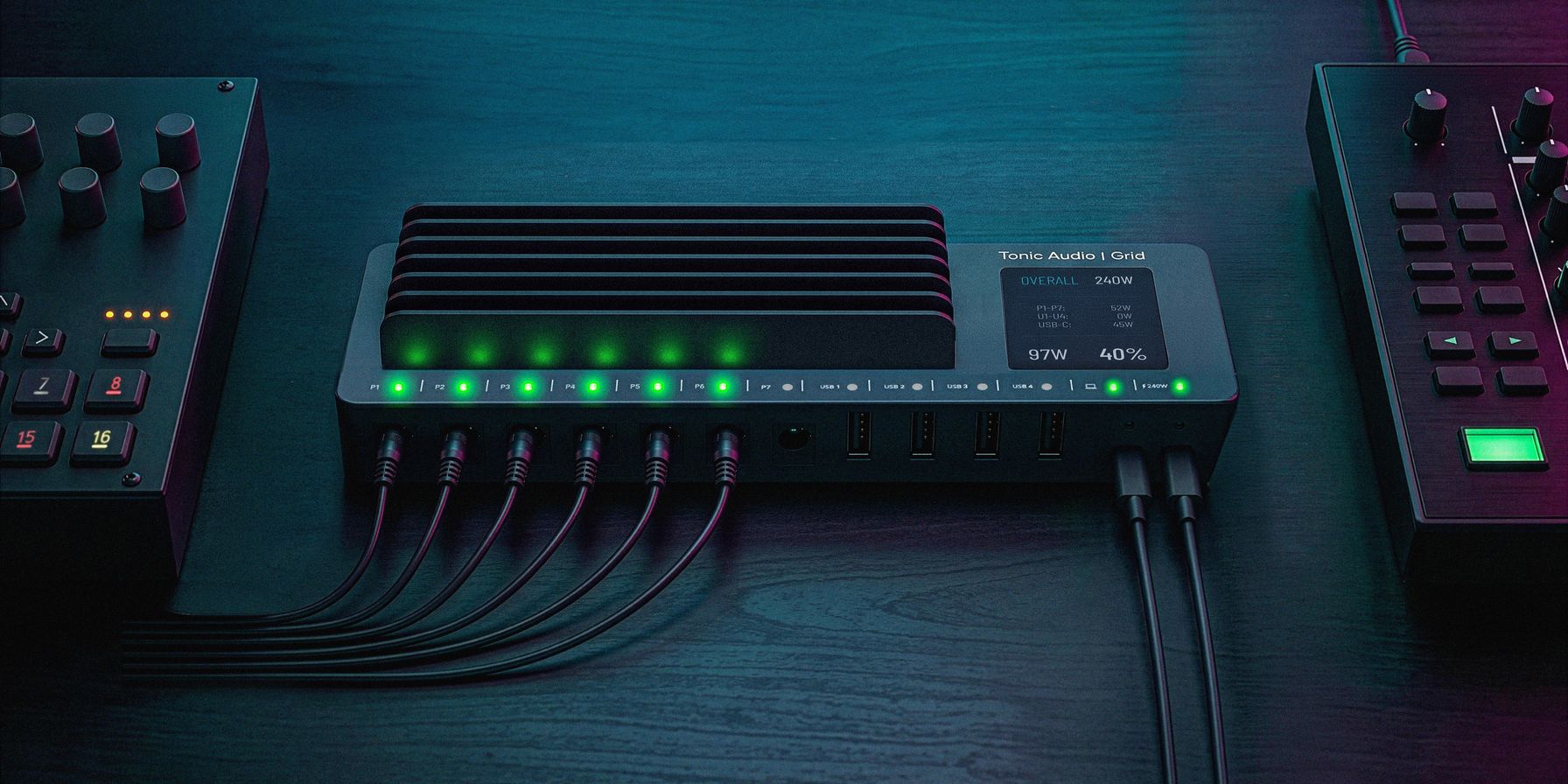
One power source, every device
When playing live, Allison had a problem. She had a big case full of gear, and about half of that case was made up of wall warts, power strips, and extension cords. This same pile of power accessories also made up about half of the weight of the case, which matters at a 1:30a loadout after a show.
Then one night, on a sound check, two devices weren’t working. Their wall warts had worked loose from the power strip, while frantically checking everything to get the gear back in working order. Not a great way to start a show!
Most rigs end up the same way, a synth arrives with a power brick of its own. Then comes a groovebox, a drum machine, a sampler, then a few pedals. And each one wants a different voltage and polarity, so each one brings its own wall wart, and the power bricks pile up on a desk or a coffin case, usually attached to an ever-growing power strip.
Then comes a laptop, and a MIDI controller or two over USB. And the laptop needs to stay charged, which brings yet another brick.
Grid replaces this pile of wall warts, USB hubs, and power strips with a simple, single unified device.
One supply for every device
At its core, Grid is a multi-channel programmable power supply. It powers your synths, grooveboxes, drum machines, samplers, and your pedals and laptop, from one source. You plug Grid into one power outlet, and it fully powers rest of your setup’s devices.
Grid is unique in that it has seven uniquely programmable DC channels, four USB-A 3.2 ports, and a USB-C output port for your laptop, all in one device. It takes up to a 240W USB-PD EPR input, and often the laptop power supply you already have will work just fine. And a nice, clear 2.4″ AMOLED touchscreen shows you what Grid is doing, if there are any faults, or if you’re getting close to running out of power. It’s also used to configure the device.
Set each channel to what its device needs
On every DC channel you set the voltage, the maximum current you want it to draw, and the polarity (center-positive or center-negative). You configure each channel to match the device you’ll plug into it, and don’t worry, this info is almost always written on the wall wart itself. The touchscreen lets you watch every watt, so you see what each part of your rig is drawing, along with any faults that may occur.
Presets for the rigs you build
We get it, setting up each channel can be confusing or scary. That’s why we’ve included a device database of thousands of device configurations already, so instead of making triple sure you have the voltage and polarity correct, you can just pull up the database on the touchscreen, select your device, and assign it to your channel of choice. We’ve validated and verified many of these configurations ourselves, so you can trust they’re correct.
- A factory device database holds ready-made power profiles for most devices today.
- You can save your own presets for the rigs you build.
- You can recall a whole setup at once, every channel included.
Set it up one time, then bring the whole profile back when you need it. Or save multiple profiles for different uses, perhaps one for your studio and one for the live rig.
Join us
We’re currently doing something a little different with the development of Grid. We’re designing and building it in the open, with regular video updates on our Youtube channel. Subscribe there to get regular updates on our progress, including the wins and setbacks, and join us on this journey!
If your power setup is a pile, you can swap it for one Grid that gives every device what it needs.